
WOOCOMMERCE PLUGIN
Codem Rewards Engine
Turn first time shoppers into loyal, repeat customers
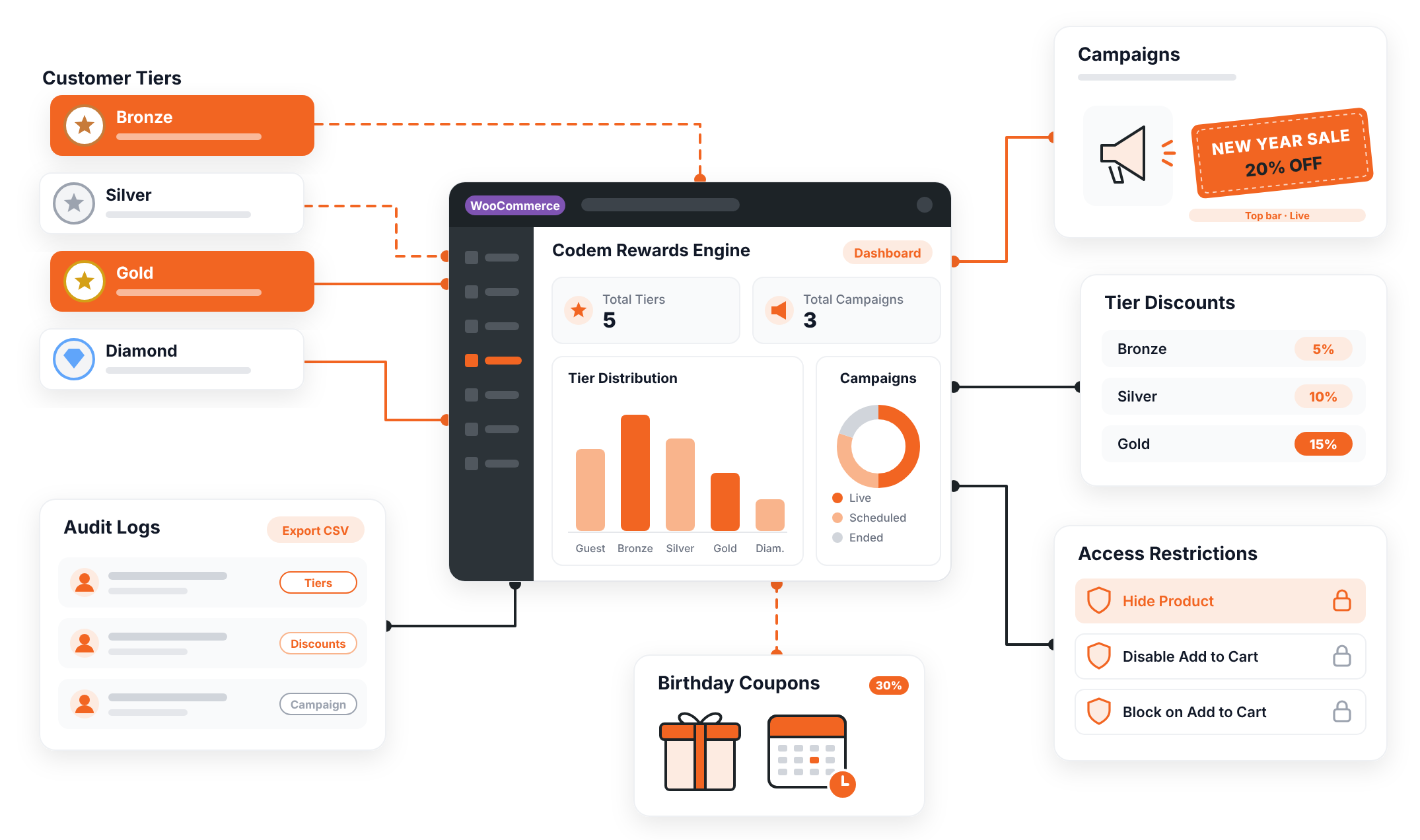
Automatic customer tiers, tier discounts, timed campaigns, birthday coupons and members only products. All managed from one screen inside WooCommerce, with no coupon codes for your customers to remember.
- Built for WooCommerce
- HPOS Compatible
- Cart & Checkout Blocks
- WordPress 6.0+
- PHP 7.4+
WHY REWARDS ENGINE
Loyalty programs shouldn't run on spreadsheets
Most stores reward customers with manual coupon codes, guesswork and one off sales. Codem Rewards Engine automates it each customer is placed in a tier by what they have spent, their discount appears at checkout on its own, and your sales, birthday offers and members-only products run on schedule.
FEATURES
Everything you need to reward loyal customers
Six modules that work together inside WooCommerce. Set them up once and they run on their own.
Customer Tiers
Group shoppers into Guest, Bronze, Silver, Gold and Diamond based on what they have spent. Tiers update on their own.
Lifetime spendAuto upgrades
Tier Discounts
Give each tier its own percentage or fixed discount, applied in the cart automatically. No coupon codes to manage.
% or fixedExclusions
Members Only Access
Hide products, disable Add to Cart, or block purchases for customers below a chosen tier.
Products & categoriesCustom notices
Timed Campaigns
Schedule sales by date and timezone, target chosen tiers, and announce them with a styled top bar.
SchedulingTop bar
Birthday Coupons
A unique coupon is created and emailed on the first day of each customer’s birthday month.
Auto emailOnce a year
Dashboard & Audit Logs
See customers per tier, campaign status, and every settings change with old and new values.
ChartsCSV export
CUSTOMER TIERS
Tiers that update themselves
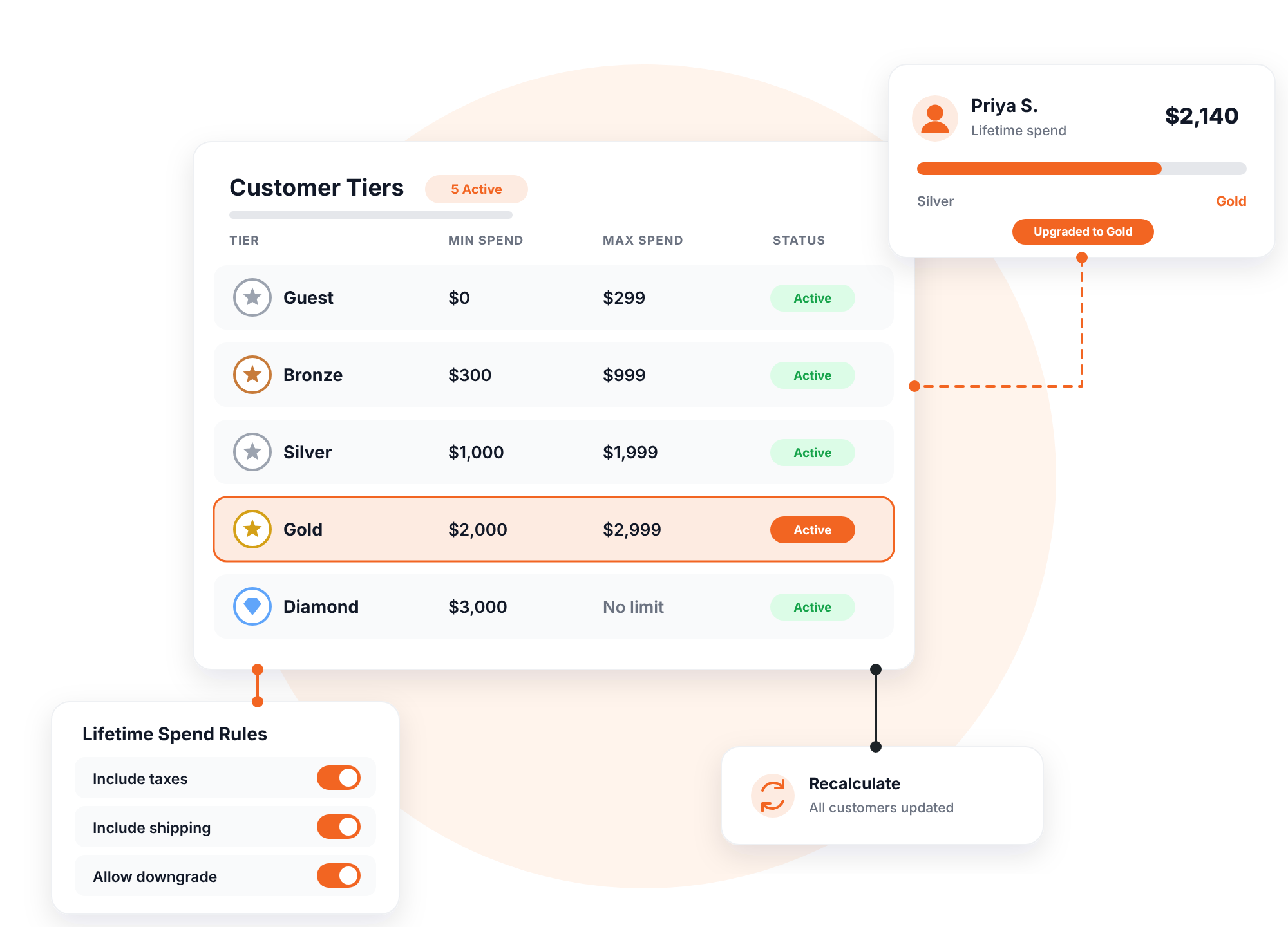
Set minimum and maximum spend for each tier. Lifetime spend is calculated from completed orders with refunds deducted, so tiers stay accurate.
- Choose whether taxes and shipping count toward spend
- Allow or prevent customers moving down a tier
- Recalculate one customer or everyone in one click
- Default tier for guests and new customers
TIER DISCOUNTS & EXCLUSIONS
Discounts that apply automatically
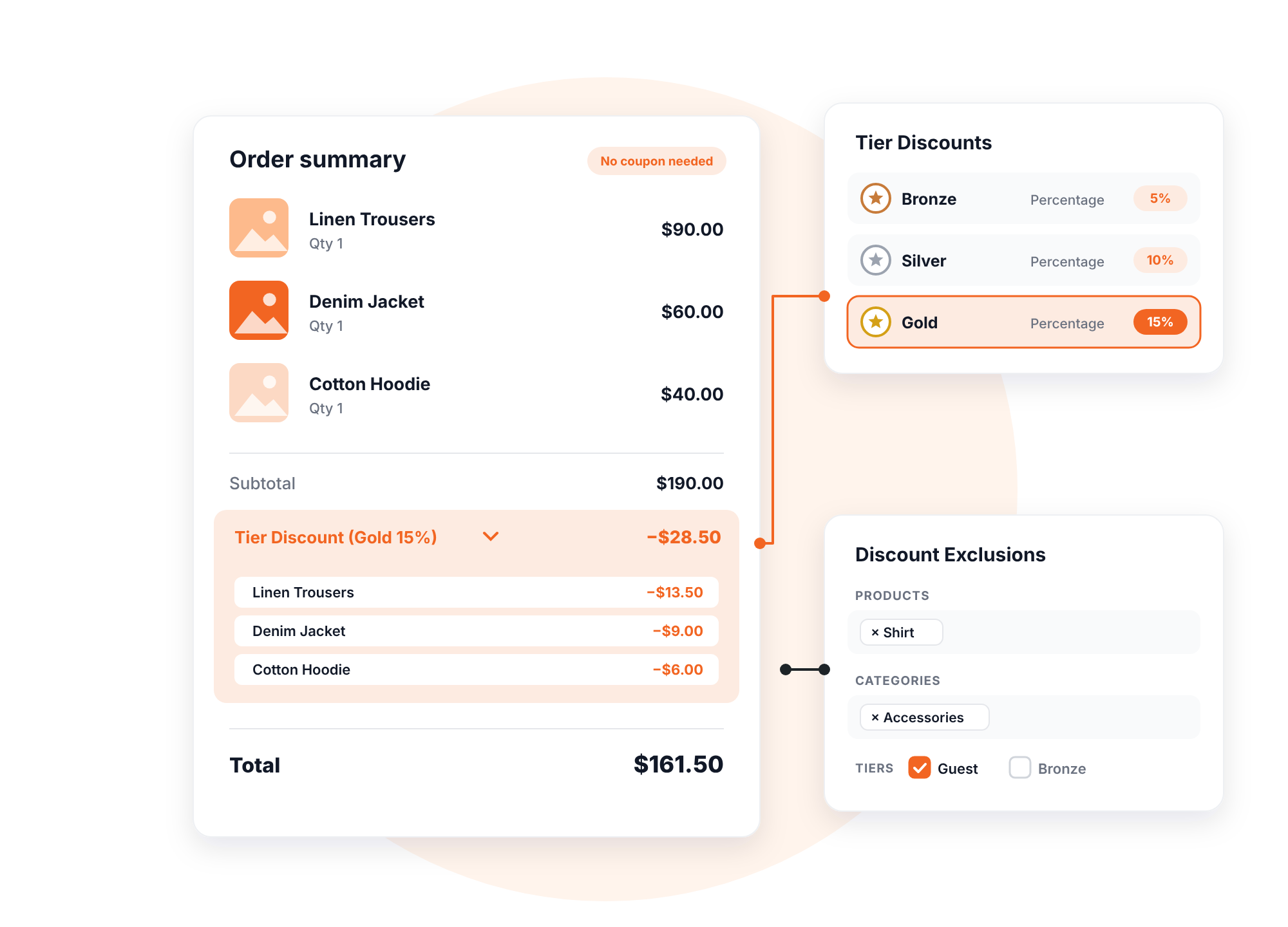
Give each tier one percentage or fixed discount. It appears in the cart and checkout automatically, and customers can expand the line to see the saving on each product.
- No coupon codes to share or manage
- Exclude chosen products or categories
- Exclude whole tiers from discounts
- Works with Cart & Checkout blocks
TIER ACCESS RESTRICTIONS
Members only products and categories
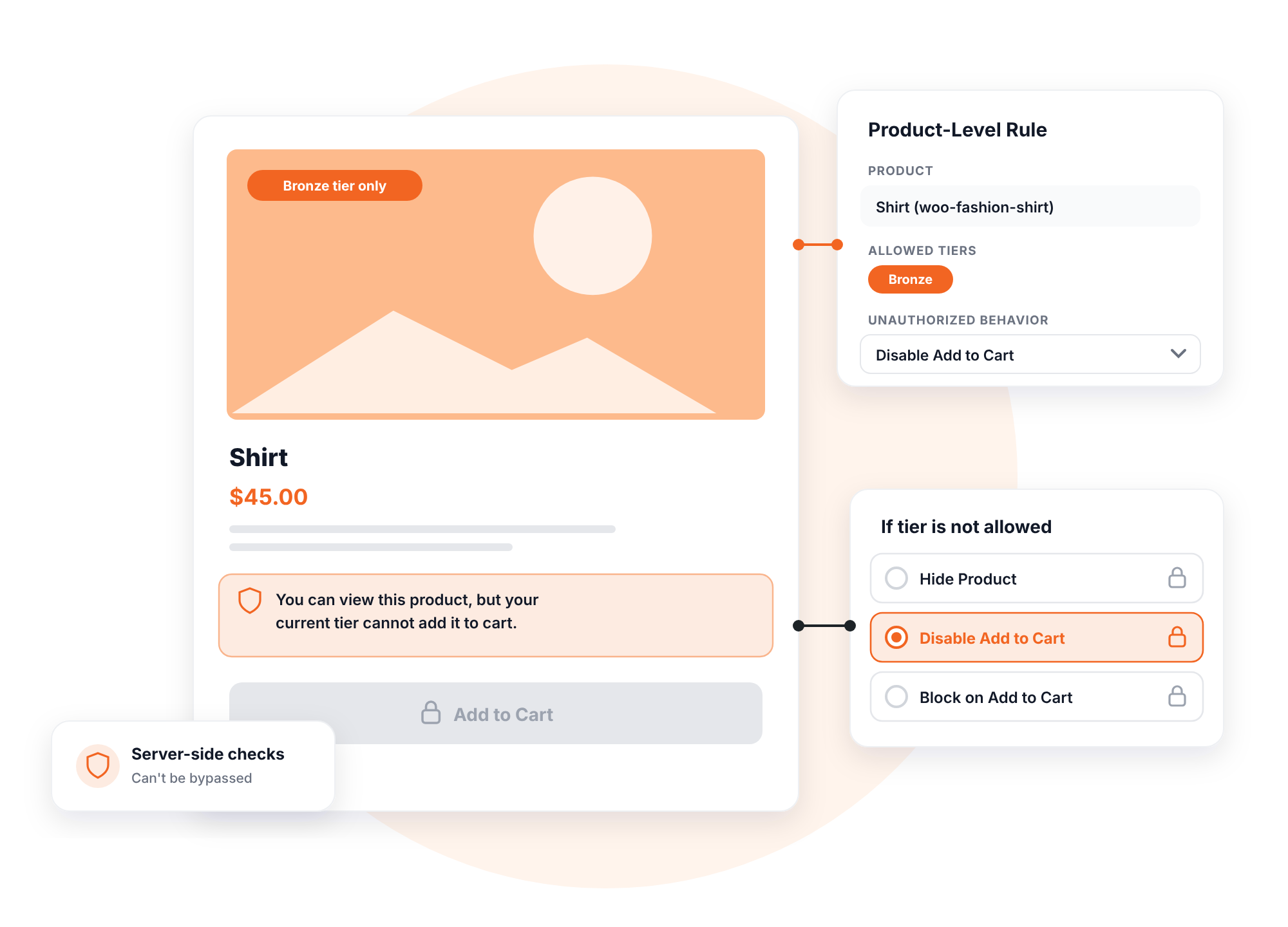
Make products or whole categories available only to chosen tiers. Product rules override category rules, and every rule is checked on the server.
- Hide the product
- Disable Add to Cart
- Block when added to cart
- Your own notice text for each option
CAMPAIGNS
Sales that start and stop on time
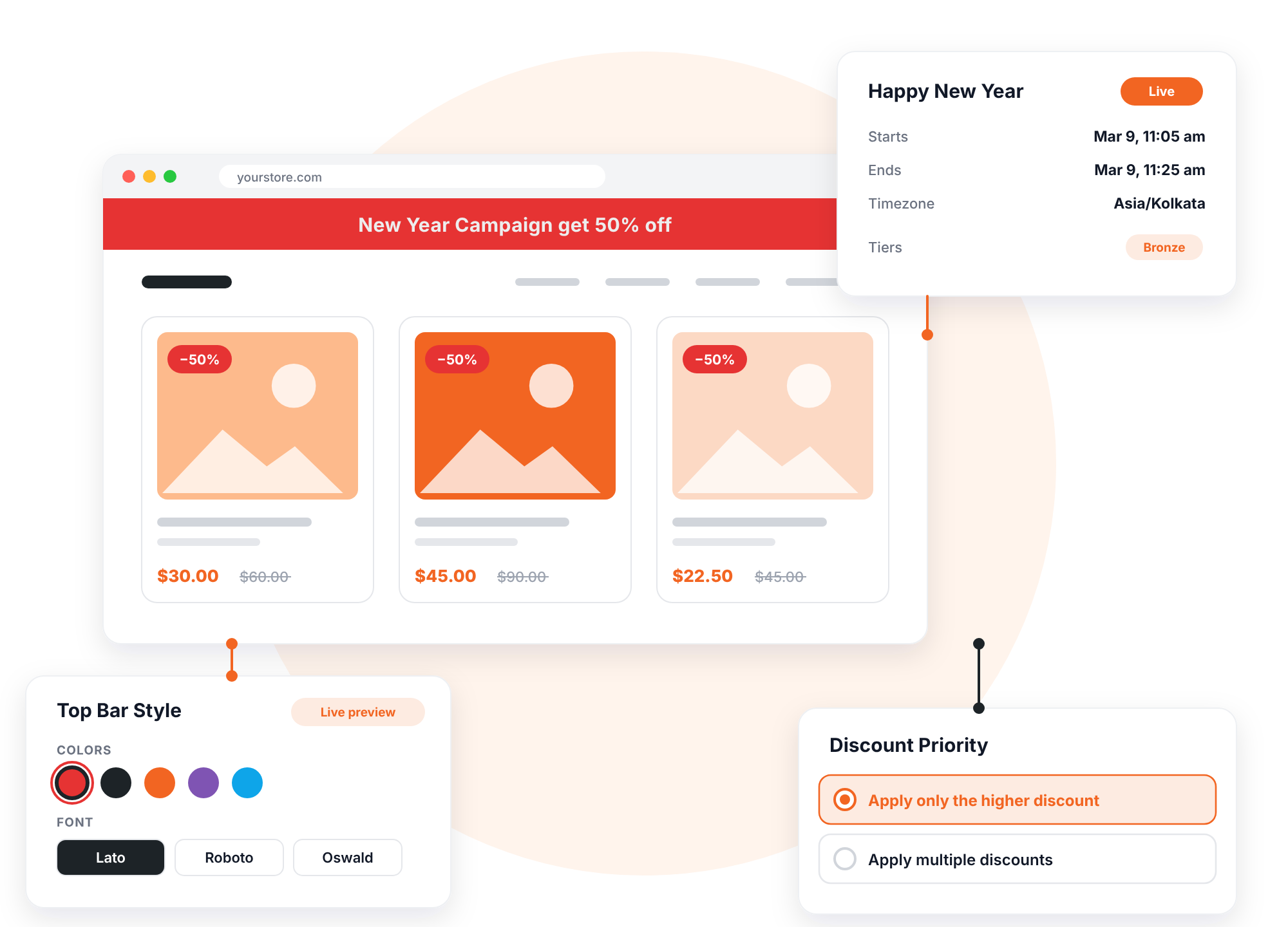
Run campaigns with a start and end date in any timezone, for all customers or only chosen tiers, on chosen products or categories.
- Apply only the higher discount, or both
- Styled top bar with live preview
- Rotating bar for multiple live campaigns
- Publish draft products at start, return to draft at end
BIRTHDAY COUPONS
A personal gift, sent automatically
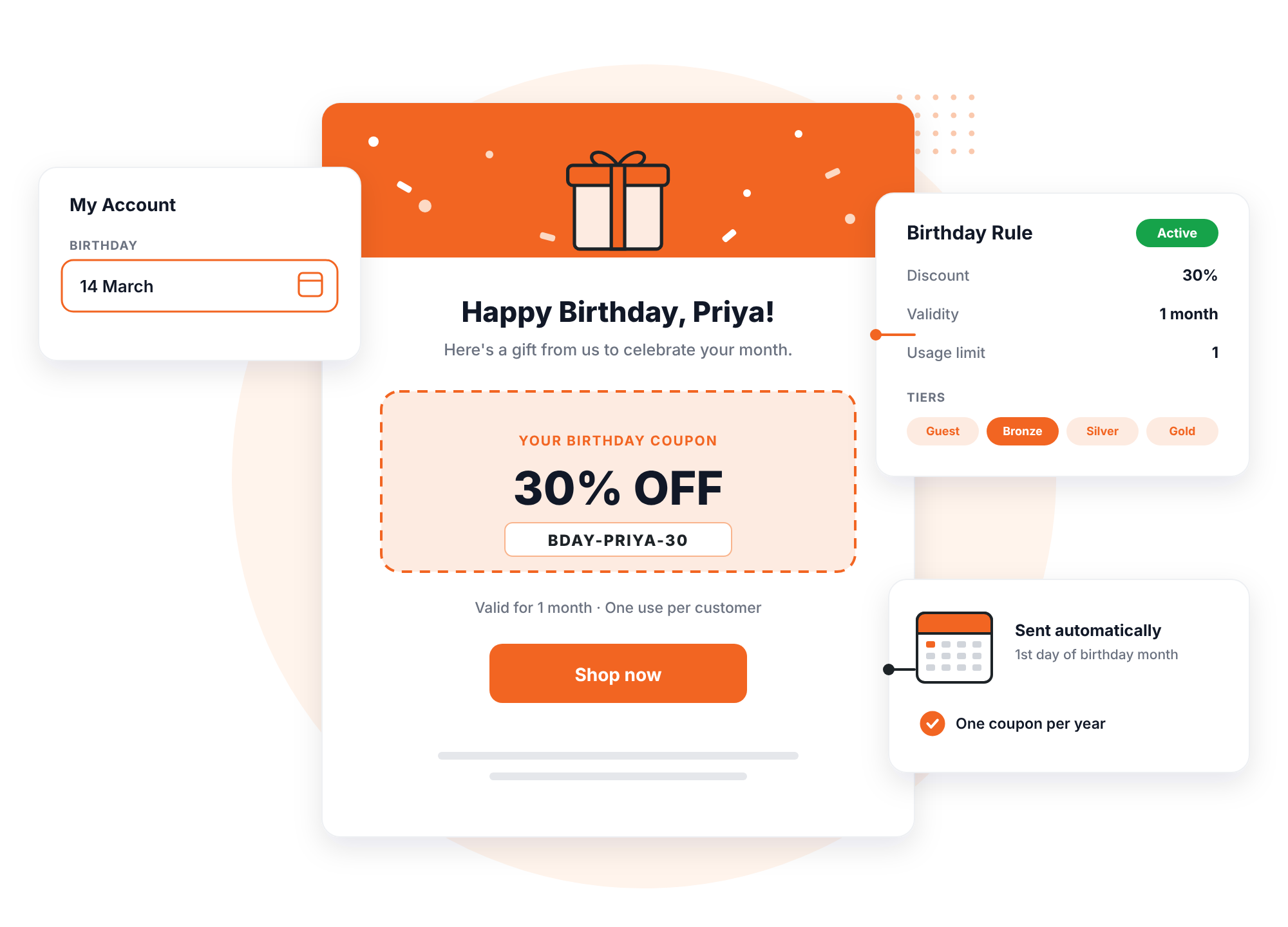
Customers add their birthday in My Account. On the first day of their birthday month, they get a unique coupon by email.
- Choose discount, validity and eligible tiers
- One coupon per customer per year
- Edit the email in WooCommerce email settings
DASHBOARD & AUDIT LOGS
See what's working and who changed what
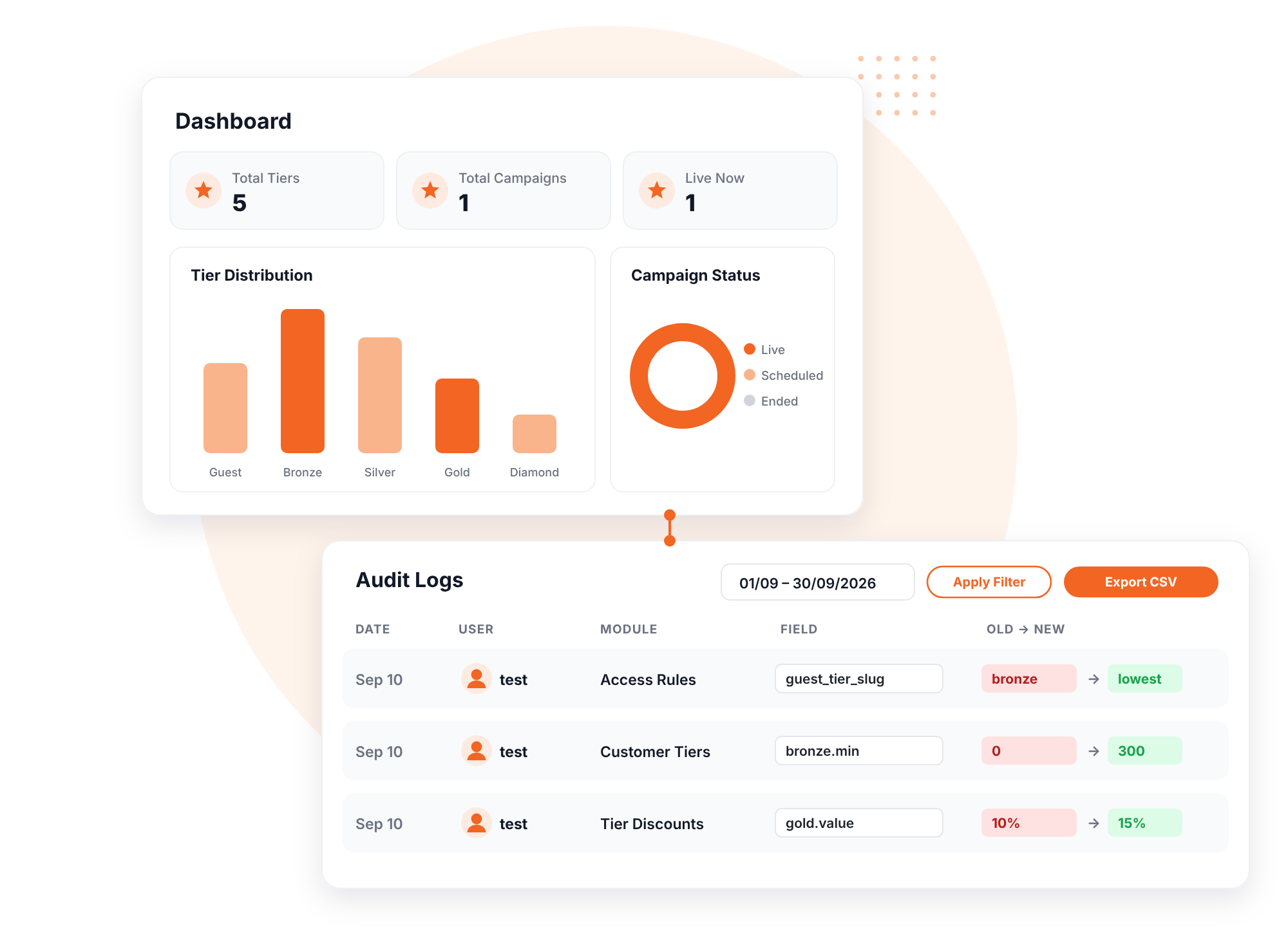
The dashboard shows how many customers are in each tier and which campaigns are live, scheduled or ended. The audit log records every settings change.
- Tier distribution chart
- Campaign status overview
- Field-level old and new values
- Filter by date and export to CSV
HOW IT WORKS
Up and running in three steps
1. Install & activate
Upload the plugin and activate it. WooCommerce must be active.
2. Create tiers & rewards
Add your tiers, set discounts, campaigns and birthday coupons.
3. Let it run
Customers are tiered from their orders and discounts apply at checkout.
FAQ
Frequently asked questions
No. The discount is applied automatically in the cart and checkout based on the customer’s tier.
By lifetime spend from completed orders, with refunds deducted. You can choose whether taxes and shipping are included.
Only if you turn on Allow Downgrade. Otherwise customers keep the highest tier they have reached.
You choose for each campaign: apply only the higher discount, or apply both.
Yes. Guests are given a guest tier, so the same rules apply to them.
Yes. It declares compatibility with WooCommerce High-Performance Order Storage and the Cart and Checkout blocks.
Yes. The audit log shows the user, module, field and old and new values for every change, and can be exported to CSV.
Start rewarding your best customers
Set up tiers, discounts and campaigns in minutes, all inside WooCommerce.